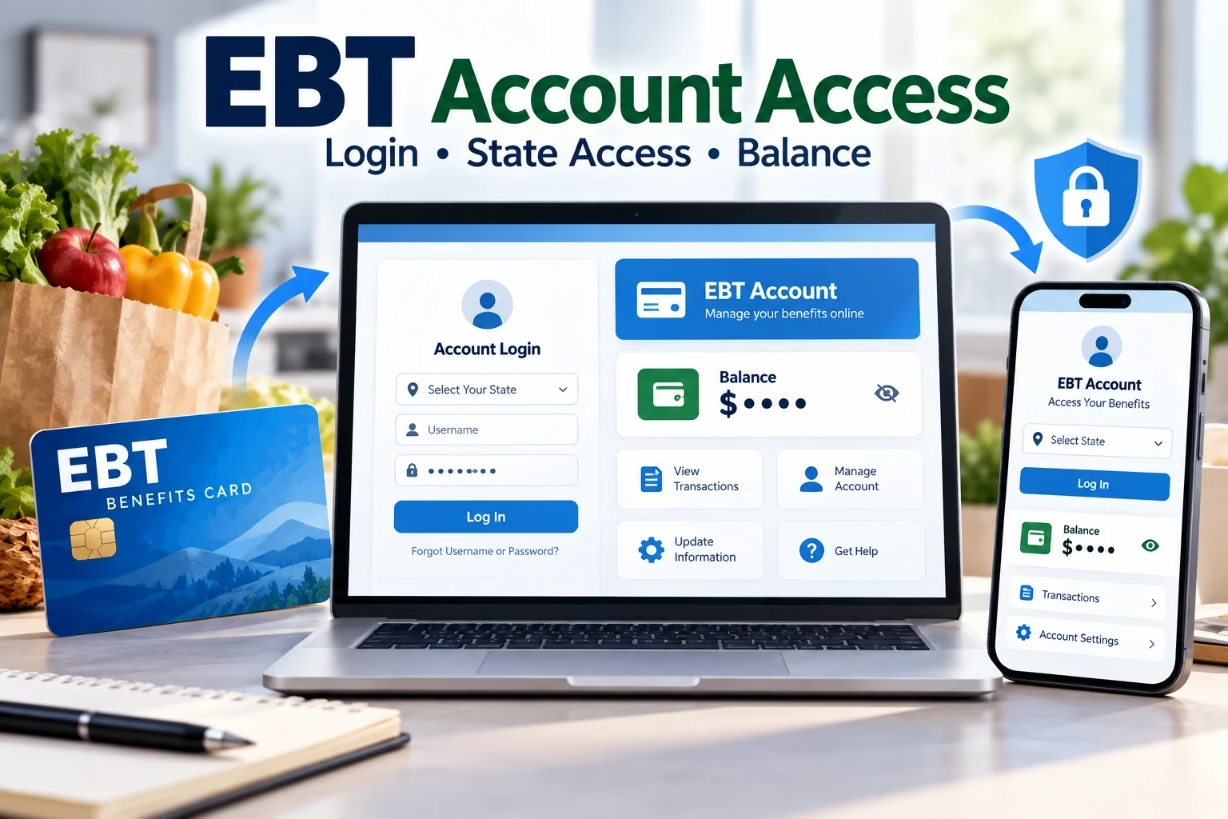
To access your EBT benefits online, you use your state’s official EBT login portal. From there, you can check your SNAP or cash balance, review recent transactions, change your PIN, and sometimes manage card issues. Every state has its own secure website or app for EBT login access.
EBT Login Portal State Access And Balance Check Overview
When I talk to people about food benefits, one of the first things they ask is, “How do I check my EBT card balance without calling the number on the back every time?” The answer is simple. You use your state’s EBT login portal on the web or a mobile app. With that one online account, you can see your balance, review spending, and handle basic card problems at any time of day.
The idea behind the ebt login system is to give you control. You should not have to guess what is left on your card at the store, or wait on long phone calls just to hear your balance. When you know how to use the portal, your SNAP and cash benefits become easier to manage and less stressful to track.
What EBT Is And How The Online Portals Fit In
EBT, or Electronic Benefit Transfer, is the system states use to send SNAP food benefits and sometimes cash assistance to your card each month. Instead of paper food stamps, you get a plastic debit-style card with a chip or magnetic stripe. You swipe or tap that card at the store, enter your PIN, and the amount comes off your EBT balance.
Every state has a website and usually an app where you can log in and manage this card. That site is often called an EBT login portal, EBT cardholder site, or something close to that. Even if your state uses a shared system with other states, you still log in through a state-specific link, often connected to a vendor like ConnectEBT or ebtEDGE.
The portal connects you directly to your live benefit record. Once you set up your account and complete your ebt login, you can see:
- Your current SNAP and, if you have it, cash balance
- Recent transactions by date, store, and amount
- Scheduled benefit deposit dates
- Card status and basic account details
Think of the ebt login portal as your online bank account page, but only for your benefits card. It will not replace your state’s main benefits website where you apply for SNAP, but it works next to it.
How To Find The Correct EBT Login Portal For Your State
One of the biggest issues I see is people landing on fake or unofficial sites that ask for card numbers. That can put your benefits at risk. So the first step is always finding the correct, official portal.
Here is the safest way I guide people to the real state EBT login page:
1. Start from your state’s official government site. Type something like “YourState SNAP EBT card” or go straight to the state human services or social services website. These usually end in “.gov” and will link to the real EBT login page.
2. Look for words like “Cardholder Login” or “EBT Account.” Some states have a button that says “EBT Cardholders” or “Manage your EBT card.” Clicking that should bring you to the EBT portal or to a vendor like ConnectEBT.
3. Check for secure connection. The web address should start with “https” and show a lock icon. It should not be a random blog or a site full of ads. Trust your gut. If it looks off, back out.
4. Avoid using your card number on any site that does not clearly belong to your state or its vendor. If any “helpful” website outside of your state’s system asks for your full card number and PIN, close it. Your ebt login should always be through the official portal.
Setting Up Your Online EBT Login Account For The First Time
If you just got your EBT card or you have never used the online portal, you will need to create an account before you can sign in. Every state does this a little differently, but the steps feel similar almost everywhere.
When I walk someone through it, I usually follow a simple pattern like this:
Step 1: Go to your state’s EBT cardholder site. Use the steps above to find the official portal. Then find a button that says “Register,” “Create User Account,” or “First Time User.”
Step 2: Enter card and personal details. Most portals ask for your EBT card number, the name on the card, the last four digits of your Social Security Number or a case ID, and your date of birth. Some may ask you to enter the card PIN as a security check.
Step 3: Set your username and password. This becomes your main ebt login. Pick a username that you will remember and a password that is not easy to guess. Try to avoid using your name or birth date as your password, since those are simple for someone else to figure out.
Step 4: Choose security questions. Many portals give you questions like “What is your favorite teacher’s name?” or “What is the name of your first pet?” Choose answers that only you would know, and try not to share those facts on social media.
Step 5: Confirm your account. Some states may send a code by email or text to verify you. Others may finish the process right on screen. Once you see a message confirming your registration, you can go back to the main page and use your new ebt login details to sign in.
How To Use The EBT Login Portal To Check Your Balance
Once your account is set, checking your balance is usually the fastest part. It becomes a quick habit, like looking at a weather app before leaving the house.
Here is how a typical balance check looks once you complete your ebt login:
1. Visit the portal login page. Type in your username and password that you created during registration. Some portals also give you the option to sign in with your card number, but a username is usually safer.
2. Pass any security check. You may have to enter a code sent by email or text, or answer a security question, especially if you are on a new device or browser.
3. Open the account overview or balance section. After ebt login, you will land on a home page or dashboard. There is usually a clear area that shows “SNAP balance” and “Cash balance,” if your state offers both.
4. Review transaction history. If you want to see how you reached that balance, open the transaction or history tab. It will show you a list of stores, dates, times, and amounts used, just like a bank statement.
Many people tell me that once they use the EBT website once or twice, it feels much simpler than always calling the phone number. When your ebt login becomes part of your weekly routine, you will rarely be caught off guard at the checkout line.
Other Things You Can Do Inside Your EBT Login Account
The main reason people think about ebt login is balance checks, but the portals usually have several helpful tools beyond that. These tools can save you time and help you protect your account.
Depending on your state, your EBT login portal might let you:
- Change your PIN. If you think someone saw you enter your PIN, you can usually change it online without calling.
- Order a replacement card. If your card is lost, stolen, or damaged, some portals let you request a new one after you log in.
- Check expected deposit dates. Many portals show the next scheduled day your SNAP or cash benefits will load onto your card.
- Update contact information. A few states let you update your email or phone so you can get alerts about your card.
- View notices or messages. Some portals have an inbox section where the state or vendor can share important information about your benefits card.
When you take a little time to explore after your next ebt login, you might find features that make managing your card much easier than before.
Common EBT Login Problems And How I Usually Fix Them
Like any online service, EBT portals can be fussy at times. People often tell me, “I tried to log in and it keeps saying error or password wrong.” When that happens, I walk through a simple checklist to figure out the problem.
Wrong Username Or Password
This is the most common issue. Browsers remember old passwords, phones auto-fill things, and suddenly nothing matches what the portal expects.
What I normally suggest:
1. Type it yourself instead of using auto-fill. Clear the field and enter your username and password by hand during your next ebt login attempt.
2. Use “Forgot Password” or “Forgot Username.” Most EBT portals have both. You will likely need your card number, date of birth, and maybe the last four of your Social Security Number or case number to reset.
3. Try a different browser or device. Sometimes an old saved cookie or setting on one device causes trouble. Signing in from another phone or computer can help you reset cleanly.
Account Locked After Too Many Attempts
Many systems lock you out for a short time after several wrong tries. It feels scary, but it is meant to protect your card. If you see a message about your EBT login being locked, do not keep guessing.
Here is what I usually do in that situation:
1. Wait the stated time. Some portals unlock after a set number of minutes or hours. Try again later with the correct password.
2. Call the EBT customer service number on the back of your card. They can help unlock your account or walk you through a secure reset. Always use the number printed on your actual card.
Website Or App Not Loading
Sometimes the problem is not you or your card; the portal itself may be slow or down for maintenance. When someone tells me “My ebt login page will not even open,” I suggest they:
1. Check their internet connection first. Try opening another site or app to confirm you are online.
2. Try again later. If the site is under maintenance, there may be a short notice on the screen. Give it a bit of time.
3. Use the phone system as a backup. You can still call the number on the card to check your balance even if the portal is offline for a while.
Security Tips To Keep Your EBT Login And Card Safe
EBT benefits are as real as cash. If someone else gets control of your card or ebt login, they can spend your food benefits quickly, and that can leave you in a very hard spot. I take security on these accounts as seriously as any bank account.
Here are simple habits I strongly support for keeping your portal and card secure:
Choose a strong PIN and password. Use numbers for your PIN that are not related to your birthday, address, or phone. For your ebt login password, mix letters and numbers. Longer is safer than short and simple.
Never share your PIN. Not with friends, family, or store workers. The state, store, or EBT customer service will never ask you for your PIN. If someone does, that is a big warning sign.
Do not write PIN and password together. If you must write them down, keep them in different places and do not label them clearly as “EBT PIN” or “EBT password.”
Sign out after each session. When you finish your ebt login session, log out instead of just closing the tab, especially on public or shared computers.
Watch for fake login pages. Bookmark the real EBT portal in your browser once you know it is correct. Each time, open it from that bookmark rather than from a search link that might go to a copycat site.
Check your balance and history often. If you make it a habit to check your EBT history a few times a week, you will notice any strange charges quickly. That gives you a better chance to report it right away.
Using Mobile Apps For Easier EBT Login
Many states now support mobile apps so you can check your EBT balance and recent activity on your phone. Some use a shared app like ConnectEBT or ebtEDGE, while others have their own app name but still connect to the same system.
If your state supports an app, I usually recommend people set that up as well as the website. Once you log in the first time, you can often use a PIN or biometrics like fingerprint or face unlock instead of typing your full ebt login details every time.
Some benefits I see with using the app are:
- Fast balance checks right before you go into a store
- Easy view of last few purchases, so you remember where the money went
- Alerts about deposits or card issues, if your state offers notifications
Just be sure you only install apps from the official app store, and look for the correct developer, which is usually your state or the official EBT vendor listed on your card or state website.
What To Do If You See Charges You Do Not Recognize
Sometimes someone notices that their EBT balance is lower than expected after they do an ebt login and check the details. When you open the history, you may see a store or purchase you do not remember. That moment feels heavy and worrying, especially when food money is tight.
Here is how I normally guide people through that situation:
1. Double-check dates and stores. Think about whether anyone else on your case or in your home might have used the card. Sometimes the store name on the history is a parent company, which can look unfamiliar at first.
2. If you still do not recognize the charge, call right away. Use the EBT customer service number on the back of your card. Report that you think there is a fraudulent or unknown transaction on your card.
3. Ask to freeze or replace your card. To prevent more charges, request a new card with a new number and set a fresh PIN that nobody else knows.
4. Follow your state’s instructions for dispute or claim. Each state has its own rules about what can be replaced and how to file a report. Some may ask for written statements, dates, and transaction details from your ebt login history.
The most important part is acting quickly. The more time that passes, the harder it may be to fix wrong charges or get help with stolen benefits.
Making EBT Login Part Of Your Budget Routine
When I see people move from guessing their EBT balance to checking it online, I also see their stress begin to drop. The card stops feeling like a mystery and starts feeling like a clear tool they can control.
You might decide to:
- Check your ebt login and balance on deposit day to plan meals
- Look at your history once a week to see where you shop most
- Use that history to plan a basic food budget for the month
Over time, this habit turns into a simple rhythm. Before big grocery trips, you open the app or portal, sign in with your ebt login details, and see exactly what you can spend. You reduce surprise declines at the register, and you can spread your benefits more evenly through the month.
Final Thoughts On Using EBT Login Portals Safely And Confidently
The EBT login tools your state gives you are there to help you keep track of your benefits, not to confuse or scare you. Once you register your online account, bookmark the correct site, and learn to read your balance and transactions, the whole process feels much more manageable.
Your EBT card is part of how you feed yourself and your family. Using your ebt login wisely, protecting your PIN and password, and checking your information often can give you more peace of mind and more control over each month’s food budget.