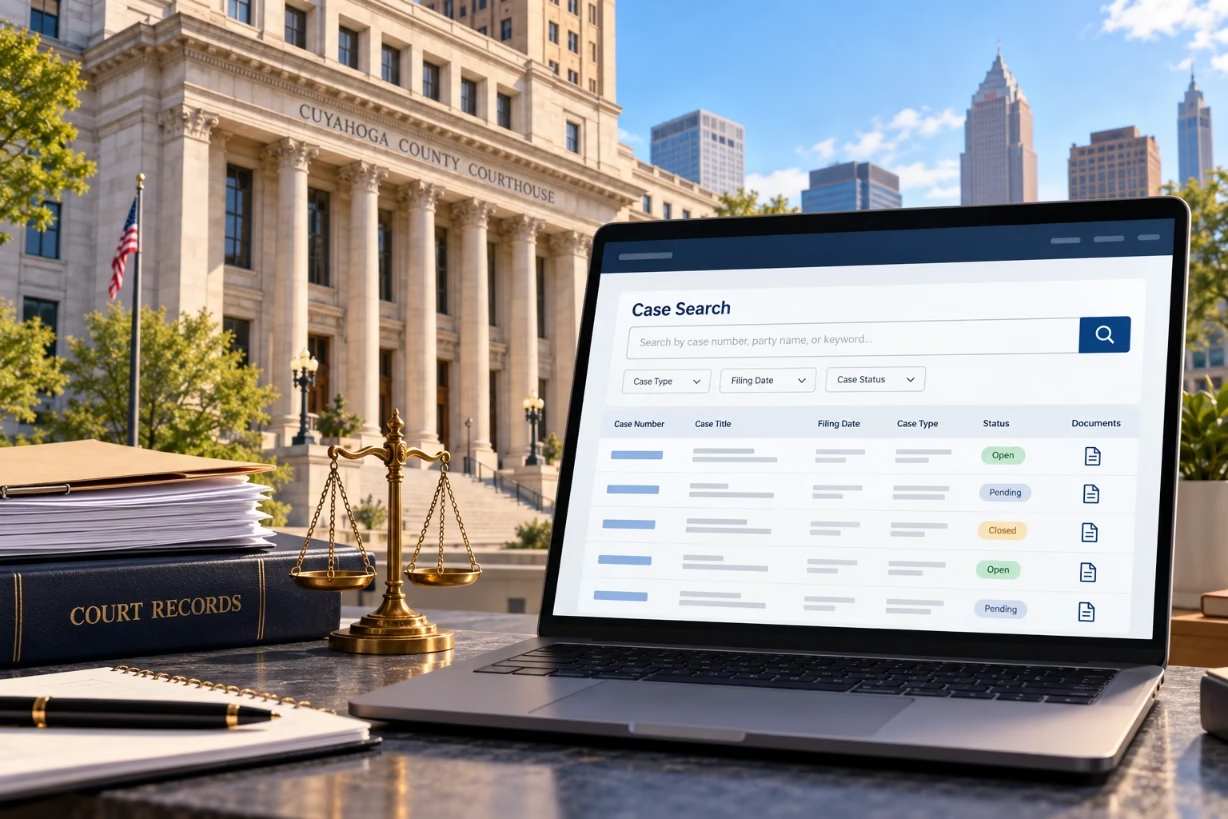
The fastest way to search a Cuyahoga County court docket is to go to the official Cuyahoga County Clerk of Courts case records site, choose whether you want to search by name or case number, select the correct court division, enter your details, and then open the docket to see filings, hearings, and case updates.
Cuyahoga County Court Docket Case Search Overview
When someone tells you to “look it up on the cuyahoga county court docket,” they are really telling you to visit the official online case records system run by the Cuyahoga County Clerk of Courts. That single site is where you can look up civil, criminal, domestic relations, and appellate cases that run through the Cuyahoga County Court of Common Pleas and the Eighth District Court of Appeals.
I know this process can feel confusing if you are not a lawyer. You might just want to know a court date, see what charges were filed, or confirm whether a judgment was entered. My goal here is to walk you through the cuyahoga county court docket step by step, in plain language, so you can search a case without feeling lost or overwhelmed.
What The Cuyahoga County Court Docket Actually Is
A lot of people hear “docket” and think it is one document. In reality, a cuyahoga county court docket is more like a running log of everything that happens in a case. When something is filed, scheduled, ordered, or completed, the Clerk’s system usually records an entry on that docket.
On a typical cuyahoga county court docket, you will usually see things like:
- Case number and caption (the names of the parties)
- Type of case (criminal, civil, divorce, appeal, etc.)
- Judge’s name and courtroom
- Filing date and current status (open, closed, dismissed, etc.)
- A chronological list of filings, hearings, and orders
Think of the cuyahoga county court docket as your case timeline. It rarely gives full detail of every event, but it will usually tell you what was filed or scheduled and on what date. You can then click certain entries to see the actual document image, depending on the court division and your access level.
Where To Go Online For The Cuyahoga County Court Docket
The official starting point is the Cuyahoga County Clerk of Courts case records portal. The county’s main website has a “Court Dockets” or “Case Records Search” link that sends you straight into the search system for the cuyahoga county court docket.
You can usually reach dockets for these courts through that portal:
- Common Pleas Court – General Division (civil and felony criminal)
- Common Pleas Court – Domestic Relations Division (divorce, custody, support)
- Court of Appeals – Eighth District (appeals from Cuyahoga County)
Other courts in the county, like Probate or Juvenile, run their own systems and have links on the official Cuyahoga County courts pages. Some of those still point back to the same Clerk of Courts portal for docket views. The key is that if you want an official cuyahoga county court docket for a Common Pleas or appeals case, you start with the Clerk of Courts case records search.
Step‑By‑Step: How To Run A Basic Cuyahoga County Court Docket Search
Let me walk you through a simple example. Say you know someone’s name, and you think they have a felony case in Cuyahoga County. Here is how you would use the cuyahoga county court docket search.
Step 1: Open The Official Case Records Search Page
First, go to the official Cuyahoga County government website. From there, find the Courts or Clerk of Courts area and click the link that says something like “Case Records Search” or “Court Docket Search.” You will land on a page that lets you pick how you want to search the cuyahoga county court docket.
Step 2: Choose Your Search Method
The portal usually gives you several ways to search the cuyahoga county court docket, for example:
- By case number
- By party name (person or company)
- By attorney name (for lawyers)
- Sometimes by date range or judge
If you have an exact case number, that is always best. The search will jump right to the one cuyahoga county court docket for that case. If you only know a name, you can still search, but you will likely see a list of cases to pick from, especially with common last names.
Step 3: Pick The Right Court Division
Once you pick a search method, the system may ask you to select a division before it pulls a cuyahoga county court docket list. Common divisions include:
- CR – Criminal (felony criminal cases in Common Pleas)
- CV – Civil (civil lawsuits in Common Pleas)
- DR – Domestic Relations (divorce, custody, support)
- CA – Court of Appeals (Eighth District appellate cases)
If you are not sure, you can leave it set to “All” or whatever the default range is and see what comes up. Later, once you see the first cuyahoga county court docket that looks like the right person or case, you can check the division code in the case number to confirm you are in the right place.
Step 4: Enter Search Details Carefully
For a name search, type in last name first, then first name. Many people in Cuyahoga County share the same last name, so adding at least a first initial helps narrow the cuyahoga county court docket search results. Use the correct spelling if you can. A small spelling mistake can hide the case you actually care about.
If you have a case number, type it in exactly as it appears, including any letters and dashes. Each part of the cuyahoga county court docket case number means something: the case type, year filed, and sequence. If you enter only part of the case number, the search might not work or might pull several cases.
Step 5: Review The List Of Matching Cases
After you run your search, you will see a list of cases that match your criteria. Each line usually shows:
- Case number
- Names of the parties
- Case type and filing date
- Judge’s name
- Case status (for example, open or closed)
Look for the entry that best matches your person or company and your time frame. Once you find it, click the case number to open the full cuyahoga county court docket for that case.
How To Read A Cuyahoga County Court Docket Page
When you open the case, you will land on a detailed cuyahoga county court docket page. At the top, you usually see case information. Below that, there is often a “Docket” or “Journal” section that shows a chronological list of entries.
Case Information Section
The top section of a cuyahoga county court docket will generally include:
- Case number and style (for example, State of Ohio vs. John Doe)
- Type of case (e.g., felony, foreclosure, personal injury, divorce)
- Court division and judge
- Filing date
- Current status (active, disposed, dismissed, settled, etc.)
- Names of the parties and attorneys
I suggest you take a minute to read this part slowly. Confirm you have the right person and that you are truly in the correct cuyahoga county court docket before you start drawing conclusions about what happened in the case.
Docket Entries Section
Below the header, you will find the list of specific docket entries. Each entry typically has:
- A date the event was recorded
- A brief description (like “Indictment Filed” or “Sentencing Journal Entry”)
- Sometimes a link to view the related document
This is where the cuyahoga county court docket really becomes a timeline. You can scroll from the oldest entry to the newest and follow the path of the case. You will see when charges were filed, when motions were made, when hearings were scheduled, and when a judgment or sentence was recorded.
Using Docket Type Filters
The system often gives you an option to filter by “Docket Type.” For example, you may be able to select something like “JE” to see only journal entries. That can be helpful if the cuyahoga county court docket has dozens of small filings and you only care about actual court orders or final judgments.
If you are trying to spot the final outcome, filtering can save you a lot of scrolling and guesswork on a crowded cuyahoga county court docket screen.
Searching For Criminal Cases On The Cuyahoga County Court Docket
Felony criminal matters in Cuyahoga County usually run through the Common Pleas Court. Those cases use the Clerk of Courts system for the official cuyahoga county court docket. If you are trying to check status on a felony case, you will almost always use the case records portal described above.
For criminal cases, the cuyahoga county court docket can show you, among other things:
- Charging documents (indictment or information)
- Arraignment dates and plea entries
- Hearing dates for pretrials, motions, and trial
- Jury verdicts or plea outcomes
- Sentencing journal entries
Sometimes people want to see if a loved one has an upcoming court date. By checking the most recent entries on the cuyahoga county court docket, you can usually see the next scheduled event and its date. Still, I always suggest double‑checking with the attorney or the court, because schedules can change on short notice.
Searching Civil Cases On The Cuyahoga County Court Docket
Civil cases are lawsuits about money, property, contracts, injuries, and other non‑criminal disputes. They also sit in the Common Pleas Court and share the same cuyahoga county court docket system.
When you pull a civil cuyahoga county court docket, you can track things like:
- Complaint filing and service on defendants
- Motions to dismiss or for summary judgment
- Case management conferences and pretrials
- Trial dates
- Judgment entries and post‑judgment motions
Landlords, tenants, lenders, and business owners often want to see whether a case has a final judgment or whether there is still active motion practice. The cuyahoga county court docket lets you see the latest orders and deadlines, so you are not guessing where things stand.
Domestic Relations, Appeals, And Other Cuyahoga County Court Dockets
Not every court division displays information in exactly the same way, but the basic ideas are similar. Here is how the cuyahoga county court docket works in a few other common areas.
Domestic Relations (Divorce, Custody, Support)
Domestic Relations cases often have both a separate Domestic Relations calendar system and entries within the main Clerk of Courts docket. Some detailed documents or images might only be visible to the parties, attorneys, and court staff when they log in, while the public sees a more limited cuyahoga county court docket view.
Even with those limits, you will usually see the big picture: when the case started, which judge is assigned, key hearings, temporary and final orders, and the closing entries. If you need the full record, the cuyahoga county court docket will still point you to the Clerk of Courts office for file review.
Appeals (Eighth District Court Of Appeals)
Appeals from Cuyahoga County Common Pleas cases go to the Eighth District Court of Appeals. That court has its own public site, but it also points you back to the Clerk of Courts “Cuyahoga County Clerk of Courts Docket” link for detailed case records.
On an appellate cuyahoga county court docket, you will see filings like notices of appeal, briefs, motions, orders, and finally the court’s decision. If you want to know whether a case has been argued, decided, or still pending, that docket is your roadmap.
Limits Of What You See On The Cuyahoga County Court Docket
Not every document in every case is open to the public. Some case types, and some filings inside otherwise public cases, are restricted by Ohio law, court rule, or privacy policies. The cuyahoga county court docket will usually still show that something exists, but it may be labeled as sealed, confidential, or redacted.
Here are a few important limits:
- Certain personal identifiers (full Social Security numbers, full account numbers) are removed or hidden.
- Juvenile matters, abuse and neglect files, and sealed records are often not fully viewable online.
- Some images are only visible to parties, attorneys, or via in‑person file review at the Clerk’s office.
This does not mean the cuyahoga county court docket is inaccurate. It just means you might have to take an extra step, like visiting the Clerk of Courts in person or working through your lawyer, to see everything that is in the underlying case file.
Tips For Accurate And Safe Cuyahoga County Court Docket Searches
When you use a public database like the cuyahoga county court docket, it helps to keep a few practical tips in mind.
Double‑Check Names And Dates
If you see a result that does not quite look right, do not assume it is the same person. In a large county like Cuyahoga, multiple people can share the same name and even the same year of birth. Check the middle initial, address, charge type, or case type before you say that a particular cuyahoga county court docket belongs to someone.
Do Not Rely On One Entry Alone
Dockets are updated by humans and software. A single line can sometimes be confusing without context. Before you decide what a case outcome was, scroll the full cuyahoga county court docket from start to finish. Look for the latest substantive journal entry or final judgment, not just the first thing that catches your eye.
Use Official Sites, Not Random Third‑Party Databases
There are many private websites that scrape public records and show some version of a cuyahoga county court docket. These copies can be outdated, incomplete, or just plain wrong. For serious questions about a case, I always prefer the official county case records portal and, when needed, the physical case file at the Clerk of Courts.
Remember That A Docket Is Not Legal Advice
A cuyahoga county court docket tells you what was filed and ordered. It does not explain your rights, deadlines, or options. If you are a party in a case or your rights might be affected, consider bringing a printed copy of the cuyahoga county court docket to a lawyer or legal aid office and asking them to walk through it with you.
When To Call Or Visit The Clerk Of Courts Office
Sometimes the system is down, a link will not open, or a case you expect to see is not there. At that point, it makes sense to contact the Clerk of Courts directly. Their staff are the official custodians of the records behind the cuyahoga county court docket and can tell you how to get what you need.
You may decide to call or visit if:
- You see a clear error on the cuyahoga county court docket (for example, your name spelled wrong).
- A case that should be public does not show up in the online search.
- You need certified copies of orders, judgments, or other filings.
- You cannot access a document image that should be available.
When you speak to the Clerk’s office, it helps to have the case number, party names, and any dates you know ready to share. That allows staff to pull the correct cuyahoga county court docket quickly and answer questions more efficiently.
Final Thoughts On Using The Cuyahoga County Court Docket
Once you get comfortable with it, the cuyahoga county court docket is one of the most useful public tools in the whole Cuyahoga County justice system. It keeps you from guessing about hearing dates, case status, or what orders have been filed. It also gives you a way to follow cases that matter to you without driving downtown for every small update.
Just remember that a cuyahoga county court docket is a summary and a log, not the whole story. Use it as a starting point, check it carefully, and do not hesitate to reach out to the Clerk of Courts or a lawyer if you need help making sense of what you see. With those steps, you can use the cuyahoga county court docket confidently, even if you have never been involved in a court case before.